On this page
A local camera recorder stores footage on equipment in the home instead of relying solely on a paid cloud recording plan. It can provide more control over storage and retention, but it adds hardware, disk management and a device that can fail or be stolen. The cheaper option depends on the cameras already installed, required recording features and total ownership cost.
Manufacturer prices below were checked in October 2026. They show two current Ubiquiti recorders, rather than a universal kit price for every camera brand. Storage and payback examples are calculations with stated assumptions; a recorder’s bay count or a disk’s label does not by itself guarantee a month of saved footage.
Key figures
- $329 Ubiquiti UNVR with surcharge, storage extra
- $219 Ubiquiti UNVR-Instant with surcharge, storage extra
- $429 Example: recorder and hard drive purchase
The displayed surcharge changes the purchase price
Ubiquiti’s US store shows the Network Video Recorder, UNVR, with a $299 base price and a $329 surcharge-inclusive price. Its Network Video Recorder Instant shows $199 and $219 respectively. A budget using only the smaller number omits a displayed part of the current purchase.
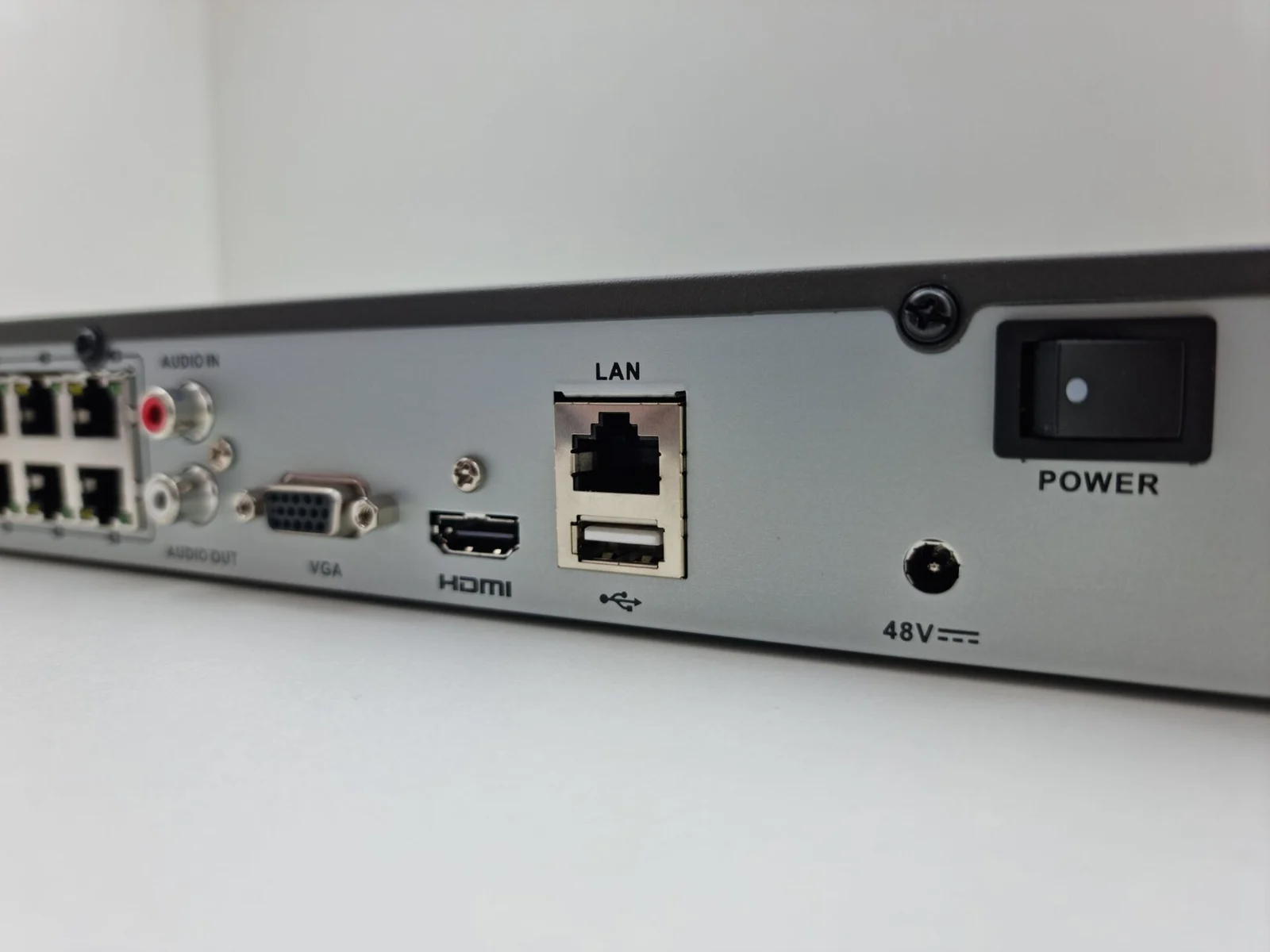
The UNVR has four drive bays accepting the stated two-and-a-half- or three-and-a-half-inch formats and is described as having expandable RAID storage. The UNVR-Instant has one three-and-a-half-inch drive bay, six Gigabit Ethernet PoE ports and HDMI output. Its page notes that connection to a gateway or Layer 3 switch is required.
| Recorder | Displayed base price | Price including displayed surcharge | Storage or connection distinction |
|---|---|---|---|
| Ubiquiti UNVR | $299 | $329 | 4 drive bays; expandable RAID storage |
| Ubiquiti UNVR-Instant | $199 | $219 | 1 drive bay; 6 GbE PoE ports; HDMI |
Source note: Ubiquiti’s own US product pages, checked in October 2026. Prices shown here do not form a complete camera installation; confirm the selected storage, tax, shipping, compatible cameras and network equipment in the order.
Multiple bays can provide different storage arrangements, but extra bays do not mean disks are free. Confirm what the selected purchase includes. A lower-price one-bay recorder may reduce the initial cost while offering fewer options for disk redundancy or later expansion.
Existing cameras also matter. A recorder operating in one manufacturer’s ecosystem is not automatically a drop-in destination for every camera or doorbell. Obtain compatibility information for the camera model, firmware and required recording features before ordering hardware based only on port count.
Continuous storage follows bitrate rather than resolution alone
The storage calculation starts with the total recording bitrate. Megabits and megabytes differ by a factor of eight. At an assumed eight megabits per second, one camera produces one megabyte per second, or 86.4 decimal gigabytes over a full day.
Four cameras at that rate total thirty-two megabits per second and about 345.6 gigabytes daily. A nominal four-terabyte disk contains four thousand decimal gigabytes, so the simplified capacity is about 11.6 days. Formatting, metadata, reserved capacity and storage configuration reduce what is available for video.
At four megabits per second per camera, the four-camera daily volume falls to 172.8 gigabytes. The same nominal four-terabyte capacity then corresponds to about 23.1 days before overhead. At sixteen megabits per second each, daily volume doubles to 691.2 gigabytes and the simple retention drops to about 5.8 days.
Those bitrate examples are assumptions, not required camera settings. Resolution, frame rate, codec, scene movement and night noise affect the generated stream. Two cameras both described as “4K” can consume different storage. Look at the recorder’s settings or capacity estimate for the chosen cameras instead of buying by resolution label alone.
Redundancy and event recording change usable retention
A second disk does not necessarily double usable space. Some RAID arrangements reserve capacity for redundancy. Confirm how many disks the chosen arrangement requires, the resulting usable space and what happens when a disk fails. Disk failure protection is different from a separate copy of footage.
Event-only recording can reduce storage compared with continuous recording, but the reduction depends on the scene and event settings. A busy street may produce much more activity than a quiet side yard. Do not assume a fixed ninety-percent saving simply because motion detection is enabled.
Allow for clips before and after an event and any continuous low-quality stream retained by the system. Test whether the chosen settings capture the event that matters. The camera-placement guide explains why a poor view cannot be fixed by buying a larger disk.
Cloud-fee savings have to repay all added costs
Suppose the $329 UNVR requires a hypothetical $100 disk purchase for the selected setup. Initial recorder-and-disk spending is $429 before any cameras, switches, installation or taxes. Compared with a hypothetical ten-dollar monthly cloud recording fee, the avoided subscription is $120 annually.
Dividing $429 by $120 gives about 3.6 years of simple recovery. That comparison assumes the local system replaces the cloud features the household wanted and that the cloud payment disappears. Keeping both services does not create the same subscription saving.
Now assume the recorder and its storage add a hypothetical twenty-watt average load continuously. Twenty watts over 8,760 hours uses 175.2 kilowatt-hours annually. At an assumed twenty cents per kilowatt-hour, that costs $35.04. Subtracting it from the $120 cloud saving leaves $84.96, extending recovery to about five years.
The twenty-watt load is a modeling input, not a measured specification for the named recorders. Extra cameras, PoE equipment and disks can change power consumption. Use measured or manufacturer-supported values for the purchased configuration, and compare the additional local load with any equipment the cloud option already requires.
The camera-subscription guide separates saved recordings from live viewing and notifications. The security-camera installation guide covers cabling and labor that a recorder-only price excludes.
Account security and exports matter alongside retention
Local recording does not eliminate account, software or network-security responsibilities. FTC connected-device guidance emphasizes software updates, account protection and network security. Remote viewing can still depend on the internet and a service account even when the recording disk is in the house.
Use supported software, restrict access and follow the manufacturer’s account-security instructions. Review who can view or export footage, especially when installers or previous occupants had access. Storing a clip locally does not make all access to it private by default.
Fire, theft or equipment damage can remove both the camera system and its locally stored evidence. Export important clips promptly to a secure separate location. Have uncertain electrical installation or network configuration assessed by an appropriate professional before adding the system.
Test downloading a clip and playing it outside the recorder before relying on the system for evidence. Verify the clock, available retention and how oldest footage is overwritten. The purchase earns its cost when storage, compatibility, exports and ongoing maintenance match the household’s reason for recording, rather than simply removing a subscription line.
Questions people ask
Which current UNVR price includes the displayed surcharge?
Ubiquiti's US page displays $329 including the surcharge, alongside the $299 base figure. The UNVR-Instant shows $219 including its surcharge, alongside $199.
Does 4 TB guarantee a month of recording?
No. Four cameras at an assumed 8 Mbps each generate about 345.6 GB daily. Nominal 4 TB gives about 11.6 days before overhead in that continuous-recording model.
Does a six-port recorder support every six-camera set?
Port count does not prove compatibility. Confirm camera models, firmware, power requirements, recording features and the network arrangement required by the selected recorder.
Does local recording remove internet-security responsibilities?
No. Accounts, updates, remote access and the network still require protection. Local storage also requires a plan for disk failure, export and damage or theft of the recorder.
Where these figures come from
- Network Video Recorder: US Price, Surcharge and Drive Bays Ubiquiti · store.ui.com
- Network Video Recorder Instant: US Price and Hardware Ubiquiti · store.ui.com
- Securing Your Internet-Connected Devices at Home Federal Trade Commission · consumer.ftc.gov
Figures last checked October 2026.